Windows warning about NimbusBackup?
It's a false positive.
A browser or antivirus product may show a "Virus detected" or SmartScreen warning when you download our agent. Nimbus Backup is safe: this is not a virus. The code is open source, the build is public, and the VirusTotal scan is clean. Here's exactly why it happens and how you can verify it yourself.
Last updated:
Nimbus Backup is not a virus
The warning is heuristic: a statistical guess, not a match against a known virus. Two facts you can verify yourself.
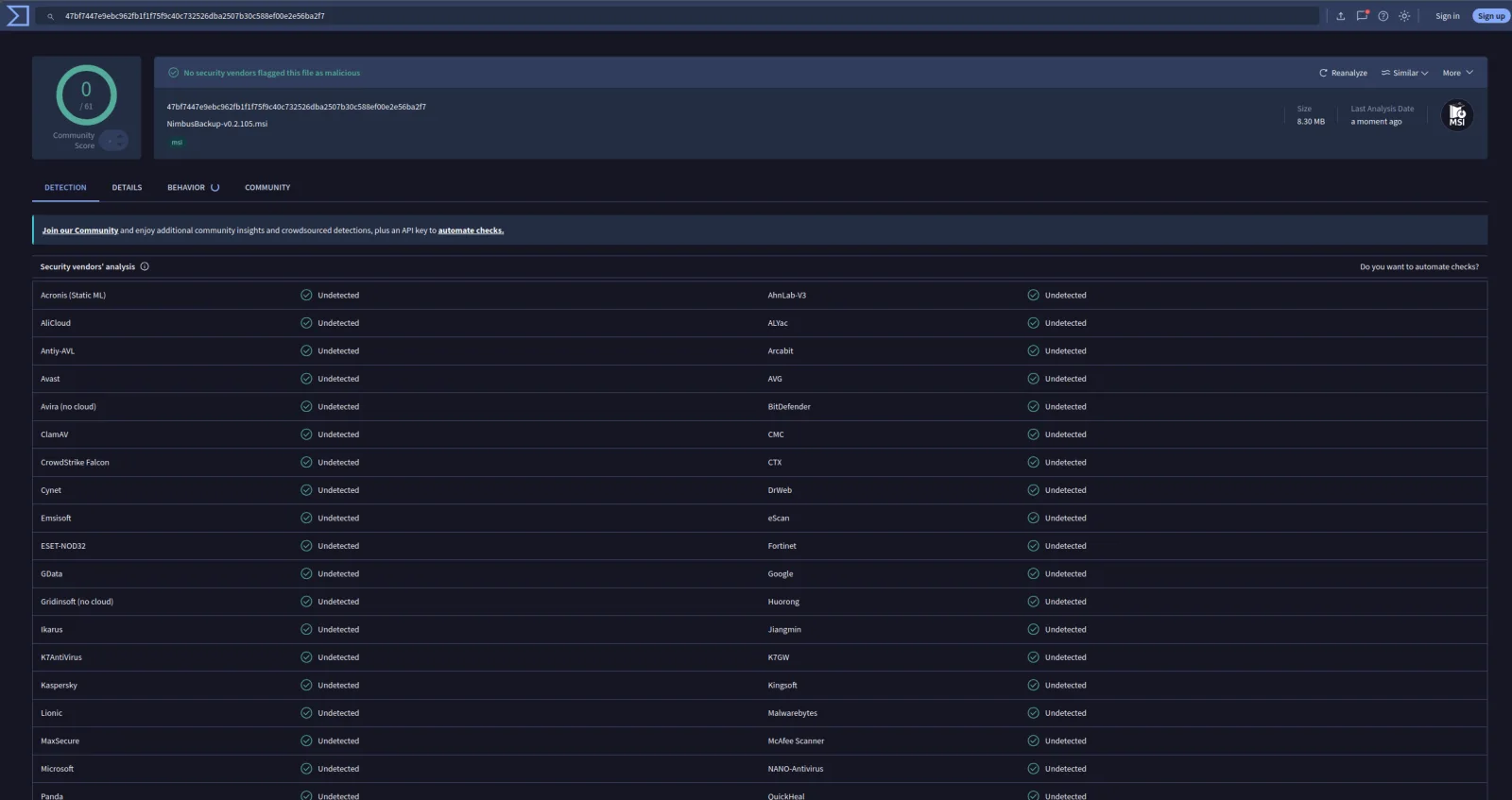
Clean on VirusTotal
Our installer scans clean across the industry's antivirus engines: 0 detections. The up-to-date report is published, per release, in the release notes.
Example: v0.2.105 - v0.2.106 - v0.2.107 - v0.2.108 - v0.2.109 - v0.2.110 - v0.2.111 - v0.2.112 - v0.2.113 - v0.2.114 - v0.2.115 - v0.2.118 - v0.2.119 - v0.3.0 - v0.4.0 - v0.4.1
Fully open source
Every line of code and the exact build pipeline are public (GPL-3.0). Read it, audit it, or build it yourself.
Why does this happen?
NimbusBackup is written in Go with a Wails desktop interface. This is a well-known, documented issue across the whole Go ecosystem — Syncthing, rclone and many other reputable projects have hit it. Five factors combine.
1. Go binaries look unusual to antivirus engines
Go produces large, statically-linked executables with no external DLLs and their own runtime. Machine-learning scanners are trained mostly on "traditional" binaries (MSVC, dynamically linked), so a Go binary stands out as atypical. And because much modern malware is also written in Go, engines weight that profile negatively.
2. Stripping + PIE = high entropy
Build flags -s -w strip symbols and -buildmode=pie randomizes addressing. The binary then looks packed or obfuscated — a classic malware signal — when these are in fact sound compilation practices.
3. Wails loads WebView2 in memory
Startup loads a loader (go-winloader) to initialize the WebView2 rendering engine. This in-memory DLL loading is also a technique used by some malware: the heuristic fires, even though it's the normal way Wails works.
4. A backup tool "looks like" ransomware
Each step is legitimate in isolation, but together they statistically resemble the profile of ransomware — exactly what behavioural detection (generic Wacatac / Sabsik families) is built to catch:
- • requesting administrator rights (UAC);
- • creating VSS shadow copies;
- • reading entire drives recursively;
- • compressing and chunking data;
- • uploading over the network (TLS) to a remote server;
- • installing a LocalSystem service.
5. No reputation yet + retroactive re-flagging
A recent binary starts with zero SmartScreen/Defender reputation. Up to 0.4.0 our binaries were unsigned, so every version started from zero. Since 0.4.1 they are signed, and reputation can build up on the same identity from one version to the next. And because definitions update continuously, a file that was clean yesterday can be flagged today with no code change — which is why the alert is intermittent.
Key point: a heuristic false positive is not the detection of a known virus. The code is open source and auditable, the build is public on GitHub Actions, and the multi-engine VirusTotal scan is clean.
References and similar cases
NimbusBackup is not an isolated case. False positives on Go/Wails binaries and backup tools are a documented problem, reported by the Go and Wails maintainers and several established open-source projects. These references explain why our response is verification-based: public source code, checksums, build attestations, VirusTotal reports and Microsoft submission.
Official sources
- Go — FAQ: antivirus and Go binaries
The official Go FAQ acknowledges its binaries are sometimes wrongly flagged.
- Microsoft — SmartScreen reputation
How SmartScreen scores a binary: hash, signature, publisher, age.
- Microsoft — Submit a false positive
The official reporting channel to Microsoft Defender — the one we use.
- GitHub — Artifact attestations
The provenance mechanism behind our
gh attestation verify. - SignPath Foundation
The free program providing Authenticode signing to open-source projects.
Similar cases (open-source projects)
- Wails #3308 — Defender flags an empty Wails project
Our GUI is built with Wails: the false positive hits the framework itself.
- Wails #2004 — WebView2Loader and antivirus scoring
The WebView2 loader contributes to engines' heuristic score.
- Syncthing flagged by Windows Defender
A well-known open-source Go tool, same symptom on the executable.
- rclone — Windows Defender false positive
A Go network/storage tool, frequently misclassified depending on definitions.
- Duplicati — Bitdefender false positive during backup
A backup-software case: antivirus, temporary files and backup combined.
What we are doing about it
Our goal: the agent should download and install with no alert at all. Three levels of action — permanent measures, a one-off per-release gesture, and binary signing, active since 0.4.1.
Permanent measures
Automatic: every future release benefits with no extra work.
One-off per-release gesture
Manual, only if Defender re-flags a new release.
Re-submitting the false positive to Microsoft
If a release gets re-flagged, we re-submit it through the Microsoft portal. Resolution typically takes 24-72 hours; once the binary is reviewed and added to the allow-lists, the alert disappears for the version concerned.
Signing the binary (active since 0.4.1)
Signing replaces "unknown publisher" with a verified publisher, RDEM SYSTEMS. It does not silence SmartScreen overnight: according to Microsoft, a signed binary can still show the warning until its own reputation, or the certificate's, has been established through downloads. What it changes for good: later versions signed with the same identity can inherit that reputation, whereas an unsigned binary starts from zero with every version.
Signing via Azure Artifact Signing
Since version 0.4.1, our Windows binaries are signed with Azure Artifact Signing (formerly Trusted Signing), Microsoft's code-signing service, with a certificate issued to RDEM SYSTEMS (Pontoise, FR). Planned for 0.4.0, signing was delayed by the account opening, blocked on Microsoft's side: 0.4.0 shipped unsigned. RDEM SYSTEMS shows as a verified publisher; the SmartScreen warning may remain until reputation is established. No certificate bypasses SmartScreen any more, not even an EV one.
The executables are signed before the MSI packs them, then the MSI itself: the whole installer is covered. The command-line tools (nimbus-backup-cli archive) are not signed.
SignPath Foundation
We applied in May 2026 to the SignPath Foundation free program for open-source projects. The application never got a reply; we no longer count on it.
How to verify and install safely
Signature, hash, VirusTotal report: three independent checks, then the install.
Check the signature
Since 0.4.1: right-click the file → Properties → Digital Signatures, or Get-AuthenticodeSignature in PowerShell. Expected: status Valid, signer CN=RDEM SYSTEMS.
Check file integrity
Compare the SHA-256 of your download with the value published in SHA256SUMS.txt on the releases page.
Review VirusTotal
Open the VirusTotal report and confirm there are no detections across the engines.
Proceed past the warning
On the browser warning choose Keep. If SmartScreen still appears, check that the publisher is RDEM SYSTEMS, then click More info, then Run anyway.
Get-AuthenticodeSignature .\NimbusBackup.msi | Format-List Status, SignerCertificate
# Verify the hash on Windows (PowerShell)
Get-FileHash .\NimbusBackup.msi -Algorithm SHA256
# Verify the build provenance (GitHub CLI)
gh attestation verify .\NimbusBackup.msi --repo rdemsystems/NimbusBackupClient
Read more
This page is part of our series on backing up Windows servers to Proxmox Backup Server.
Back up Windows with PBS — the tutorial
Open-source GUI client, API token, first scheduler, VSS snapshots, step by step.
Read the guideCase study: first 1 TB Windows backup
Raw numbers from a prod run: 20h30 of transfer, 75% of chunks deduplicated.
Read the case studyChoosing your backup pricing model
Per volume, per seat, or flat rate: which model fits your Windows estate.
Read the guideGot a better way to clear these alerts? We're listening.
The project is open source, and we believe it's better built together. Have you already handled false positives on a Go binary, got feedback on SignPath or Azure Trusted Signing, a build trick that lowers entropy, or a contact on the antivirus-vendor side? Send us your solution.
Frequently asked questions
Antivirus false positive on the NimbusBackup agent
Transparency is part of backup
Open code, public build, signed binaries, SHA-256 hashes, a VirusTotal analysis: you know exactly what you're installing. Still unsure? Email us, or build it yourself from source.