
Quick to build, slow to destroy
Everything happens in the customer portal, members.rdem-systems.com. What adds is quick: datastore delivery, volume upgrades. What destroys is slow and visible to all your contacts: backup deletion, administrator access. An attacker who steals your credentials cannot erase your backups before you notice.
Four actions and their lead times
Delivery
15 to 30 minutes*
up to 3 TB, once the order is signed and a payment method is on file
Upgrade
after signing
new contract signed online, space enlarged afterwards
Deletion
4 days minimum
forbidden by default: authorization within 48 h, then processing within 48 to 96 h
Admin access
96 h minimum
forbidden by default: authorization within 96 h; requesting the access is coming to the portal
* Can drop to a few minutes: 2 minutes measured on our delivery of 25 Nov 2026 (a measurement, not a commitment).
Automated delivery
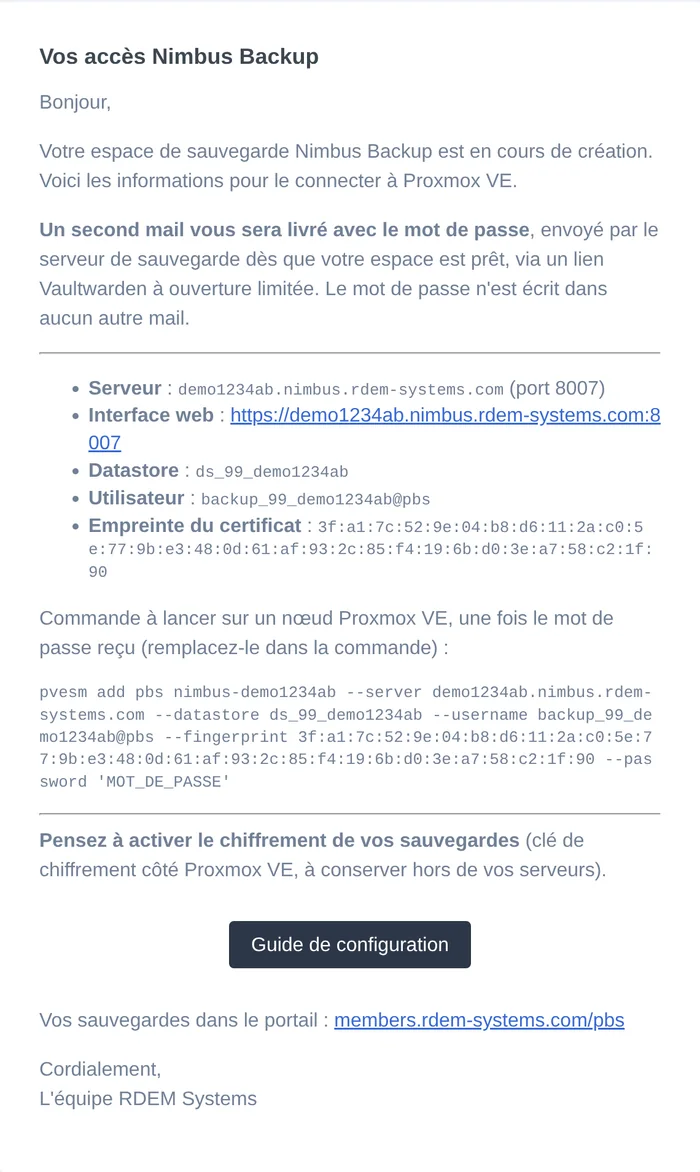
You order online, sign the contract online and add your payment method. As soon as these three steps are done, the Proxmox Backup Server datastore is created and your credentials go out by email: server, datastore and user, with the password sent separately through a secure link.
- Disk plans up to 3 TB: credentials in 15 to 30 minutes.
- Over 3 TB, or if no server has room at that moment: within 96 hours at most, and an email tells you so.
- LTO tape: on quote, provisioned usually within 10 days.
The order form shows the estimated lead time for the plan and volume you pick. Once you have the credentials, add the datastore in Proxmox VE: see adding a PBS to Proxmox VE.
Volume upgrade
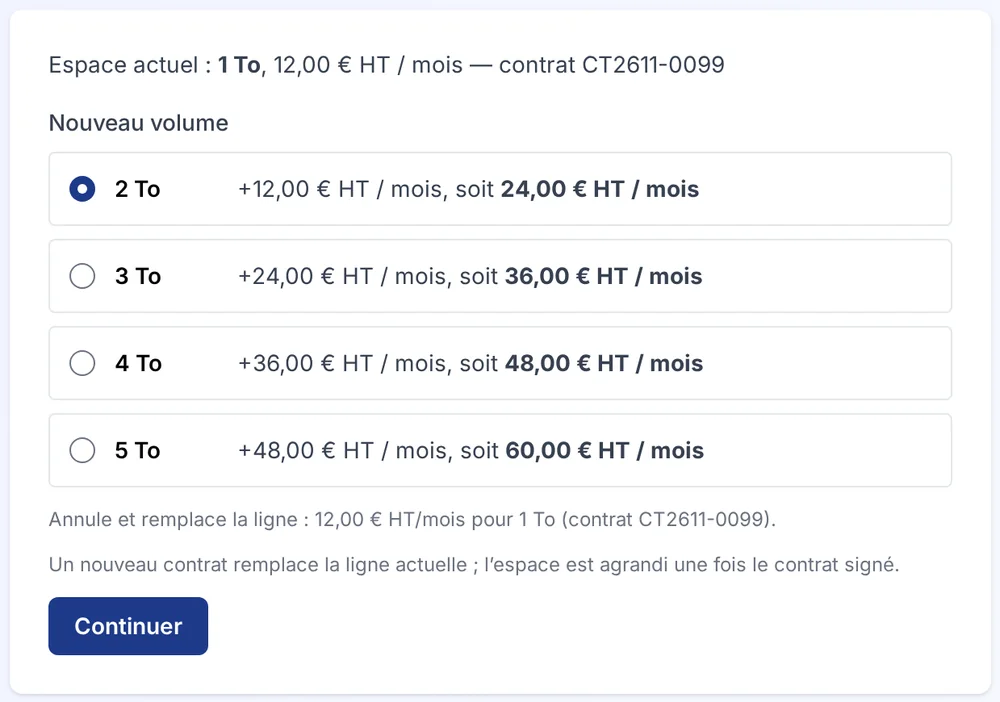
In the customer portal, next to your datastore, pick the new volume: the monthly price is shown before you confirm, and any discount you have is kept. A new contract replaces the current line; you sign it online, then the space is enlarged with no action on your side and without interrupting your backups.
An upgrade only adds space. To reduce a volume, open a support request from the customer portal: we check with you that your backups fit in the new space.
Backup deletion
By default, nobody can delete a backup from your datastore, not even the administrator of your PBS account. Deleting takes two steps, each with a delay.
- Allow deletion on this datastore. The authorization takes effect 48 hours after the request, moved to the next working day if it falls on a weekend or a public holiday. All the administrative and technical contacts of your account get an email with a one-click cancellation link. Withdrawing the authorization is immediate.
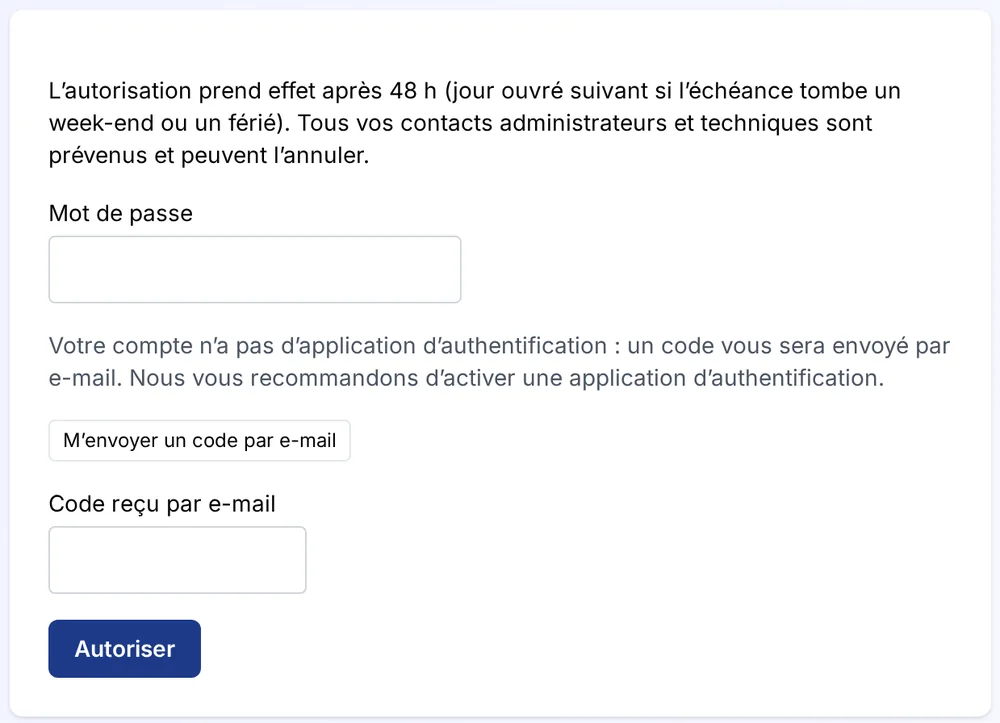
Allowing deletion: effective after 48 hours, password and one-time code (demo account, French interface). 
On the datastore: deletion allowed from a set date, admin access still forbidden (demo account, French interface). - Request the deletion. Tick a whole machine or specific backups, tick the box confirming these backups can no longer be restored, then confirm with your password and a one-time code. The request is processed within 48 to 96 hours and can be cancelled until then, from the customer portal or from the email link.
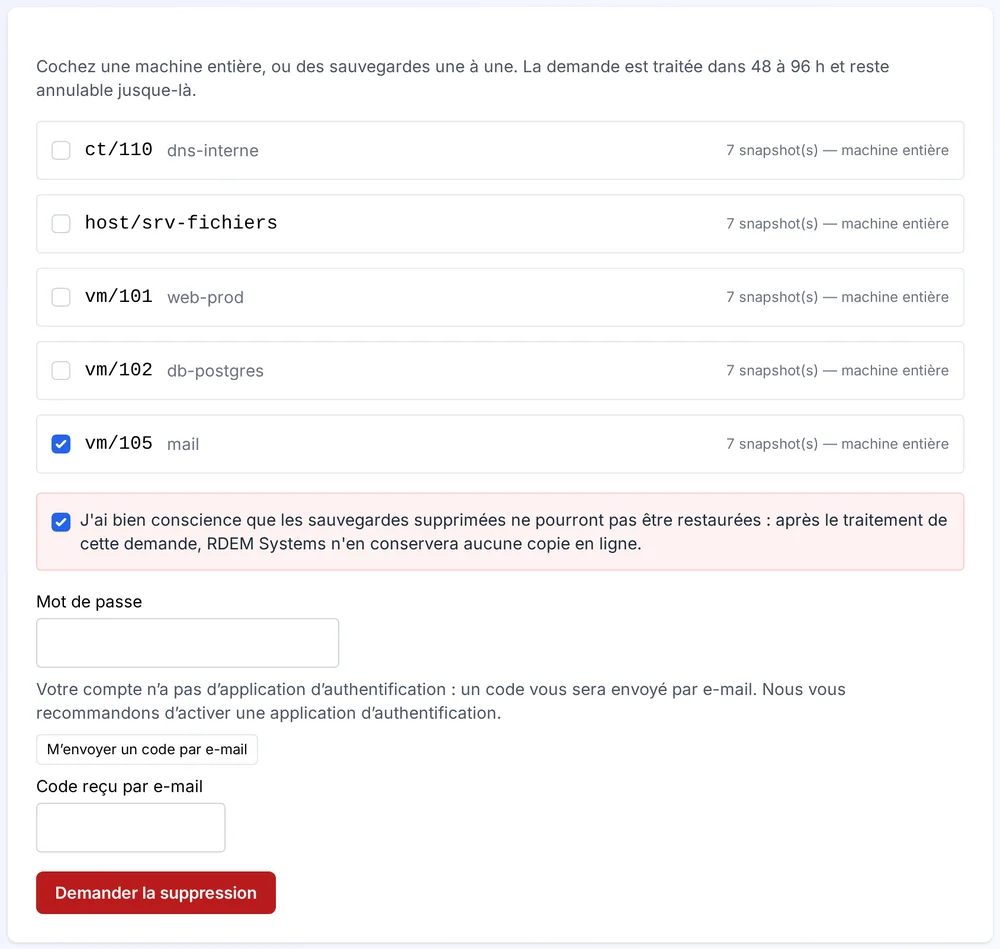
Requesting the deletion of a machine or of specific backups (demo account, French interface). 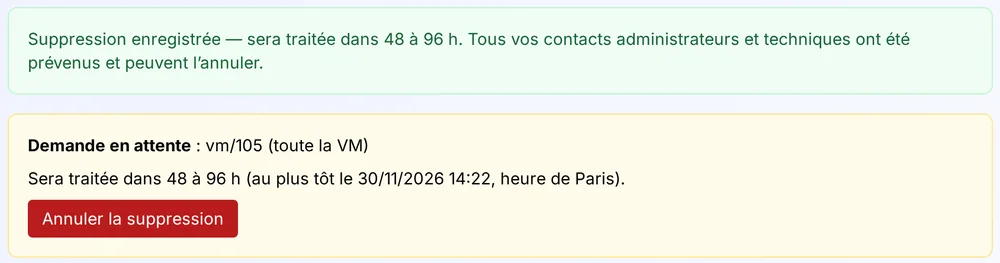
The request can be cancelled until it is processed (demo account, French interface).
Allow at least 4 days for a first deletion. After processing, we keep no online copy of the deleted backups; offline copies are not affected by the request. The space is freed at the server's next scheduled cleanup, within 24 to 48 hours.
Temporary administrator access
Some operations need more than backup permissions: changing a backup's protection, fine-tuning a datastore. For these, a temporary administrator access will be openable on your datastore only, for 4 or 8 hours, at the date and time you will choose.
As with deletion, it is forbidden by default. The authorization takes effect 96 hours after the request (next working day if it falls on a weekend or a public holiday), with the same email to all your contacts and the same one-click cancellation. The authorization is already available in the customer portal; requesting the access itself (date, duration, reason) is being finalised and will arrive there soon.
Why these delays
A well-run ransomware attack goes for the backups first. With your credentials, and sometimes your mailbox, an attacker would start by allowing themselves to erase everything. The delay takes that advantage away: for 48 or 96 hours, all your contacts are warned and any of them can cancel in one click.
- Every request emails all the administrative and technical contacts, not just the person who made it.
- Adding is immediate, allowing destruction is delayed, withdrawing an authorization is immediate.
- Password and one-time code for every action; we recommend an authenticator app over the emailed code.
This delay protects against stolen credentials, not against an infection that stayed dormant longer than your history. For that case you need an offline copy: see the AirGapped Drive PBS plan and our article on immutable backup against ransomware.